Pilot EFBNow on the App Store · iOS & iPadOS
Weather, NOTAMs, FTL,
logbook, tools, map.
Done.
A fast, offline-first flight app for airline and GA pilots. Weather, NOTAMs, duty limits, and your logbook - ready before and after the flight, and offline when you have no signal.
- Offline-first
- No account to start
- No ads, privacy-first
Features
Everything you reach for, offline-first
A focused set of modules for your flying day, with raw weather and NOTAM text always kept and a source and timestamp on every aviation data block. Here is the short version.
Weather & Briefing
Decoded METAR and TAF with flight-rules badges, winds aloft, and SIGMET/AIRMET alerts. Raw text always kept.
NOTAMs
Route-based fetch, decoded into plain-language headlines, with a diff view of what changed since your last look.
FTL Calculator
EASA ORO.FTL and FAA Part 117 rules, remaining FDP, and a what-if planner for extra sectors or delays.
Electronic Logbook
Fast HH:MM entry with smart defaults, night time auto-calculated, and a personal-reference PDF export.
Flight Hub
Enter your route once and weather, NOTAMs, and duty figures pre-fill from your legs.
Built for iPhone
Home and Lock Screen widgets, Live Activities, Apple Watch, Siri Shortcuts, and a red-light night mode.
Offline Chart Map
One offline chart engine behind every map: runways, navaids, airspace and your route, from packs on the device. Not a moving map.
Your career and your day
Medical and rating expiries with reminders, your personal minimums checked against the weather, a per-diem tracker, and encrypted backup.
Plus dozens of calculators, the airport reference, and iPhone widgets, and Pilot EFB Desk for the browser.
Pilot EFB Desk · the web edition
A complete flight desk in the browser, built for a full screen and a keyboard.
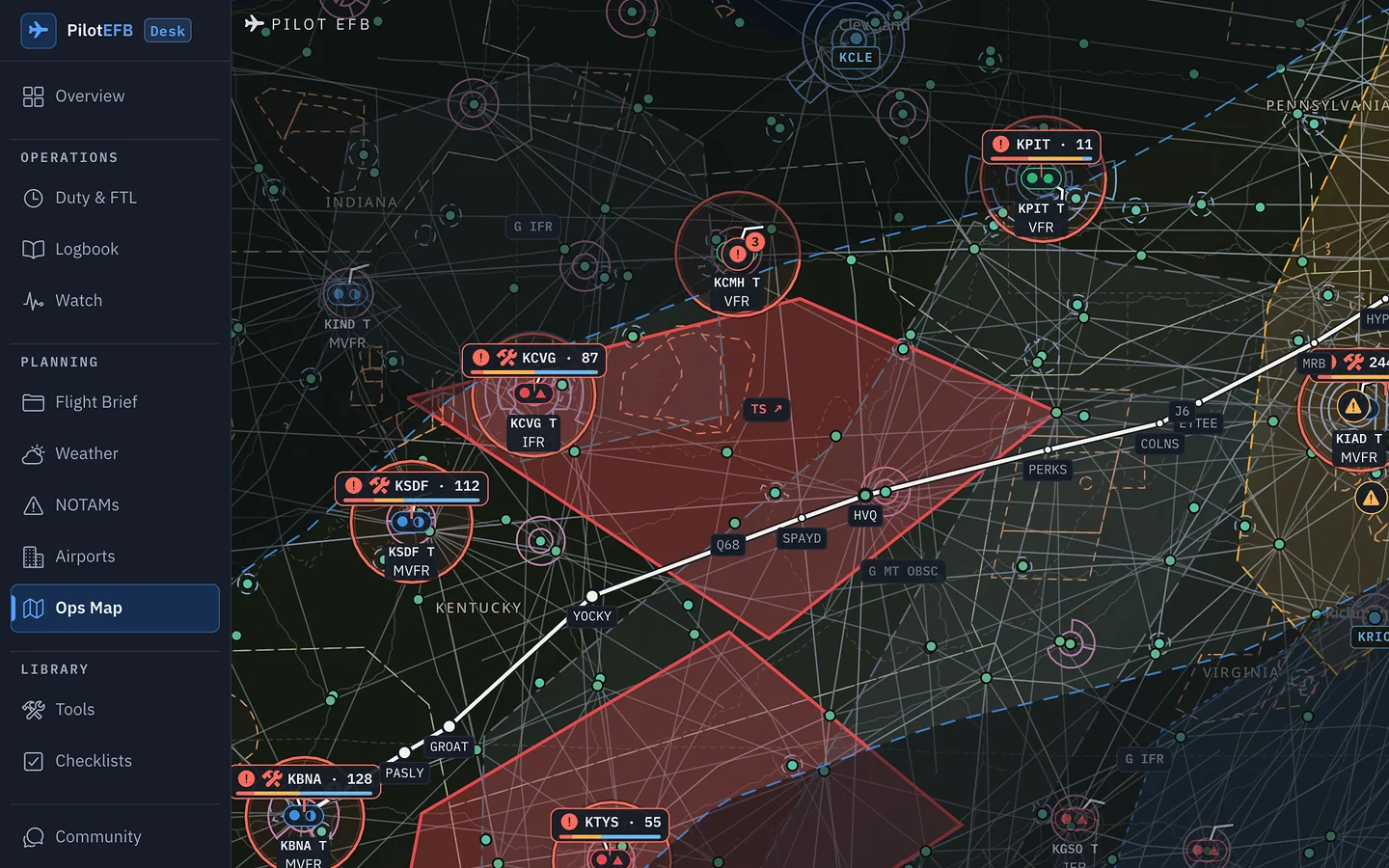
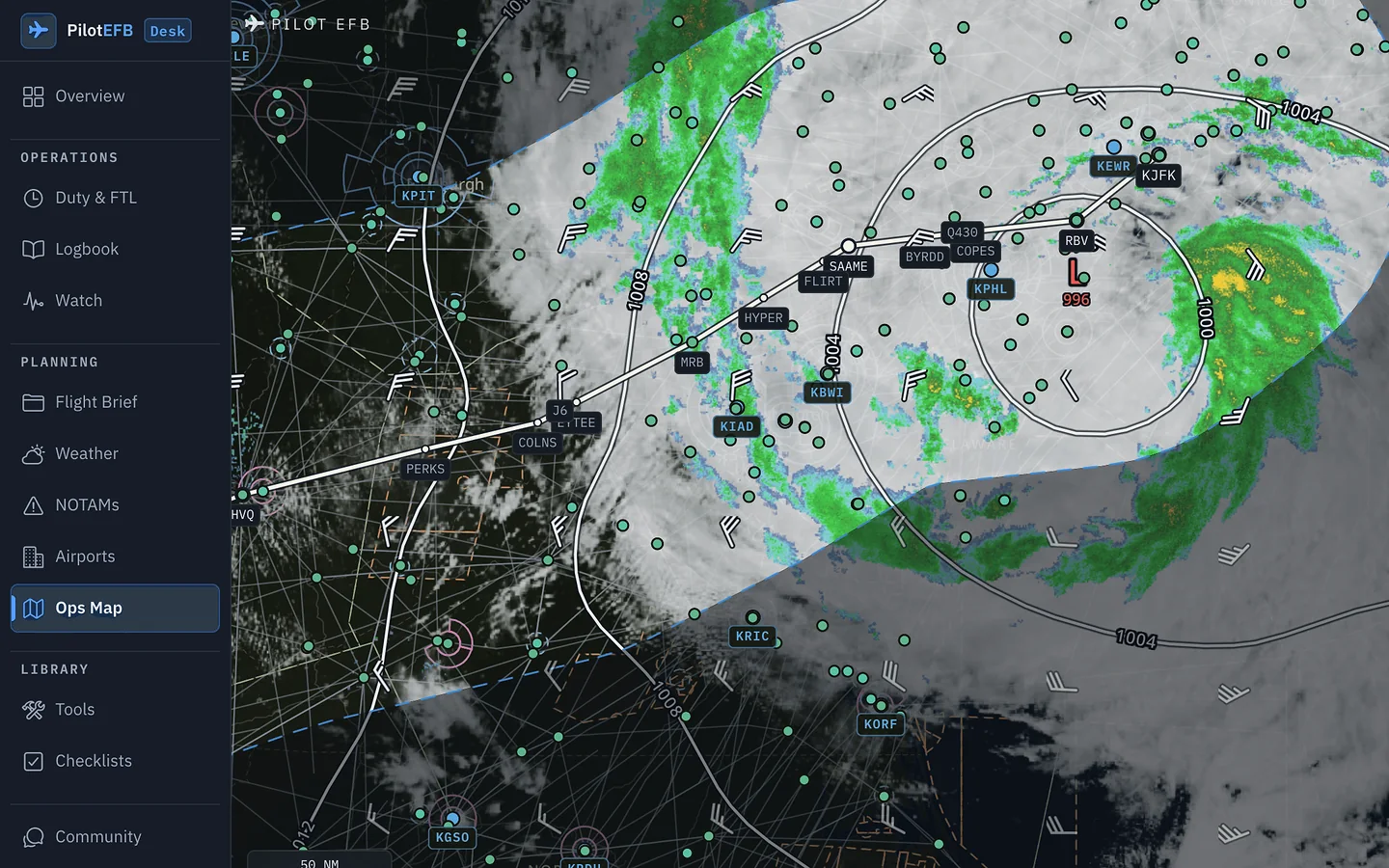
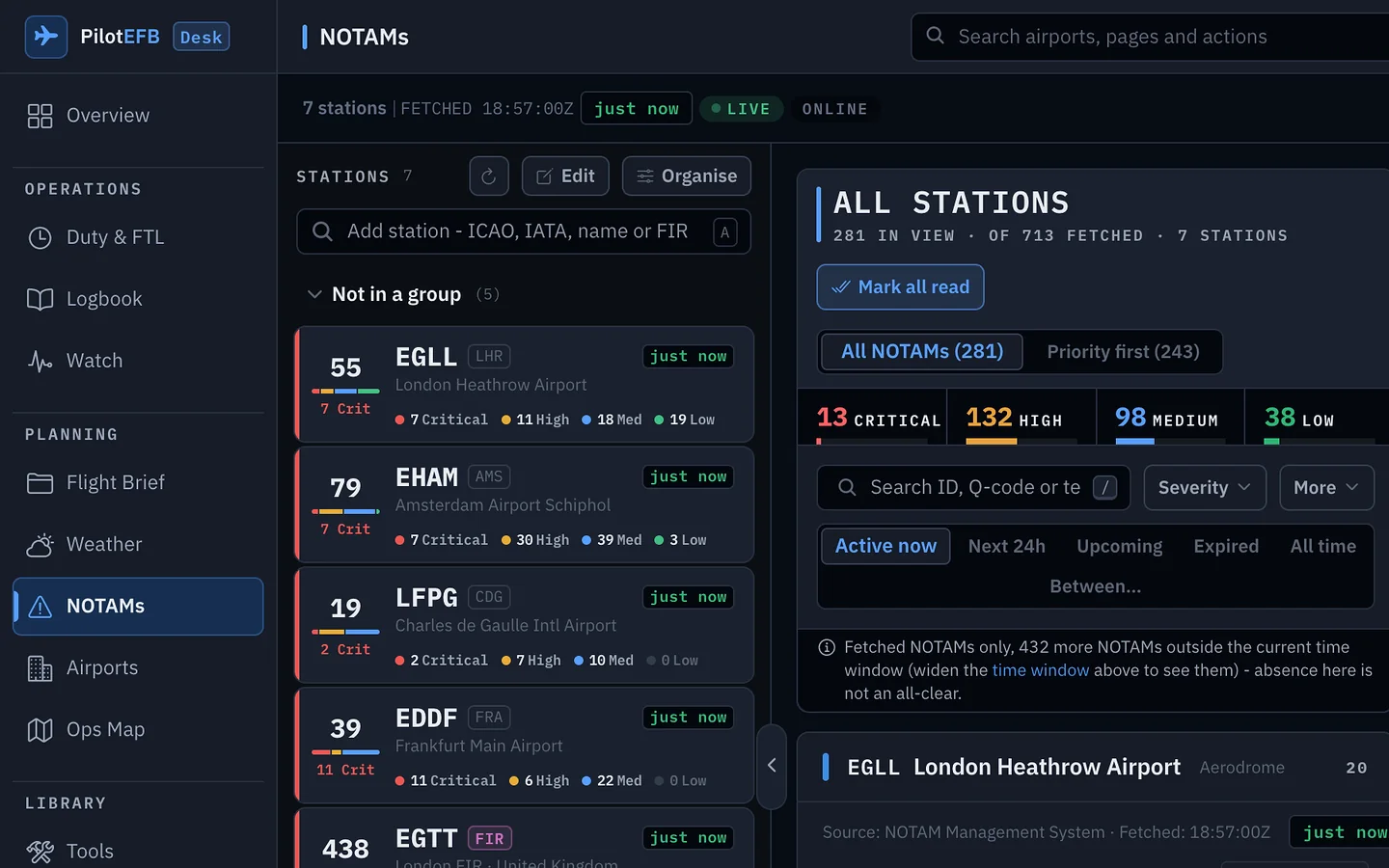
Pilot EFB Desk is a complete flight companion in the browser, with nothing capped: an Ops Map workbench with a route engine and one time cursor, the Watch Desk with server-evaluated rules and a printable handover, a NOTAM board, a logbook bulk editor, a roster board, wall displays and a command deck on Cmd+K.
- Ops Map workbench: paste an airway route and it is expanded fix by fix, with satellite, radar, winds, hazards, NOTAMs and community ADS-B traffic on one time cursor
- Watch Desk: your rules, a cross-device ledger, a handover you can print or email, a watch wall
- NOTAM board with a When lens and a severity meter; logbook bulk editor; roster board and What-if
- Briefing board, comparison table, wall display and pop-out windows for a second monitor
- Cmd+K command deck that finds your own entries, flights and duties, and a shortcut for each main desk
$199.99 a year or $19.99 a month.


Scope & intent
What Pilot EFB is, and isn't
Pilot EFB pulls the tools you reach for around a flight into a single app, and is deliberately clear about where its boundaries are. Here is exactly what it is, and what it is not.
What Pilot EFB is
Pilot EFB is built for airline and general-aviation pilots who want the tools they reach for around a flight in one fast, offline-first app, instead of a different website or app for every job.
- One app for the whole flight. Weather and briefings, NOTAMs, an FTL calculator, your electronic logbook, descent planning, a Flight Hub that ties each trip together, and much more, all in one place on the phone in your pocket.
- Offline-first. Your device is the source of truth. Everything you've saved or fetched stays available with no signal; only pulling fresh weather, NOTAMs, and roster data needs a connection.
It is built on data you can trust and is private by design: decoded METAR, TAF, and NOTAM fields supplement the raw text and never replace it, and your logbook never leaves your device unless you export it yourself or sign in to back it up.
What it is not
Pilot EFB sits alongside your certified tools and official sources, not in place of them.
- Not a certified Electronic Flight Bag, or for operational decisions, navigation, or regulatory compliance.
- Not a replacement for company OPS, official MET, or NOTAM sources.
- Not a moving map or terrain-awareness system.
Use it to prepare, then confirm anything that matters with official sources before you fly.
Free NOTAM search
Type an ICAO code. Read the NOTAMs, decoded.
The same feed the app reads, free on this site. Plain-English headlines, validity in UTC, raw text kept verbatim under every notice.
Free on this site
One station, every notice, decoded.
- Plain-English headline decoded from the Q-code, runway and taxiway designators included.
- Active now, scheduled or expired at a glance, with the validity window in UTC.
- Raw text kept verbatim under every notice, exactly as published.
As published
A1234/26 NOTAMN
Q) EGTT/QMRLC/IV/NBO/A/000/999/5129N00028W005
A) EGLL B) 2609141900 C) 2609150500
E) RWY 09L/27R CLSD DUE WIP
Runway 09L/27R - closed
- When
- 14 Sep 19:00Z to 15 Sep 05:00Z
- Raw text
- kept underneath, verbatim
May be incomplete - verify officially.
In the Pilot EFB app
The same notices, briefed for your flight.
Route brief
Departure, destination, alternates and the FIRs between them, fetched as one list.
What changed since your last look
New and amended notices flagged on every refresh, with 30 days of history per airport.
Alerts for watched airports
A notification when a critical or high-priority notice lands on a field you watch.
Map and airfield diagram
The closed runway drawn on the field, hazards pinned on the map with their radius.
On the App Store, or in the browser as Pilot EFB Desk. See the NOTAM module
Why we built it
One honest place for the day around a flight
The day around a flight is scattered across too many apps: a logbook in one, duty limits in another, weather and NOTAMs somewhere else, a descent figure on a scrap of paper. I wanted one place that brought the parts of that day that are mine together, and that kept working with no signal.
So Pilot EFB follows three rules it does not break: it works offline first, it shows the real data and never invents a number to fill a gap, and your records stay on your device unless you choose to export them or sign in to sync.
It is a personal companion, not a certified Electronic Flight Bag, and that is a deliberate choice. It is built to help you prepare and keep your own records, then get out of the way so you can confirm anything that matters against official sources before you fly.
Learn
Learn the systems behind the flying
A growing library of plain-language guides on the weather, briefing, and regulatory basics every pilot revisits, each one grounded in primary sources. Here are the latest.
- Operations
TCAS and airborne collision avoidance
How TCAS watches the sky through other aircraft's transponders, what a traffic advisory and a resolution advisory demand of you, and why the RA outranks ATC.
6 min read Read - Operations
RNAV, RNP and GNSS explained
What performance-based navigation means: how GNSS fixes a position, what RAIM and SBAS add, RNAV versus RNP, and how to read the minima on an RNP approach.
8 min read Read - Operations
VOR, DME and NDB explained
How the classic ground-based navaids work: VOR radials and the CDI, DME slant range, the NDB and ADF, IFR accuracy checks, and where each fits in a GNSS world.
9 min read Read
Prefer to look something up? Browse the aviation glossary .
Get the app
Download Pilot EFB
Free on the App Store for iPhone and iPad. Most tools are free to use, with an optional Pro upgrade that lifts the usage limits on the FTL calculator, logbook and flight folders. Offline-first: every tool opens and your saved data stays usable without a signal; fresh weather and NOTAMs need a connection.

Pilot EFB
Offline-first flight tools for pilots


- Price
- Free Pro optional
- Requires
- iOS / iPadOS 16.4+
- Category
- Utilities
- Privacy
- No account to start
- Offline-first with local cache
- Raw weather & NOTAM text kept
- Tuned for iPhone & iPad
Pilot EFB is an informational and organisational tool only, not a certified Electronic Flight Bag. Always cross-check against official sources. See the full disclaimer before flying.